
TAIF · طَيْفFree, local-first media tools
Trim, cut, compress and convert audio, video and images without ever leaving your device.
- Free and open source
- Runs on your device
- No account needed
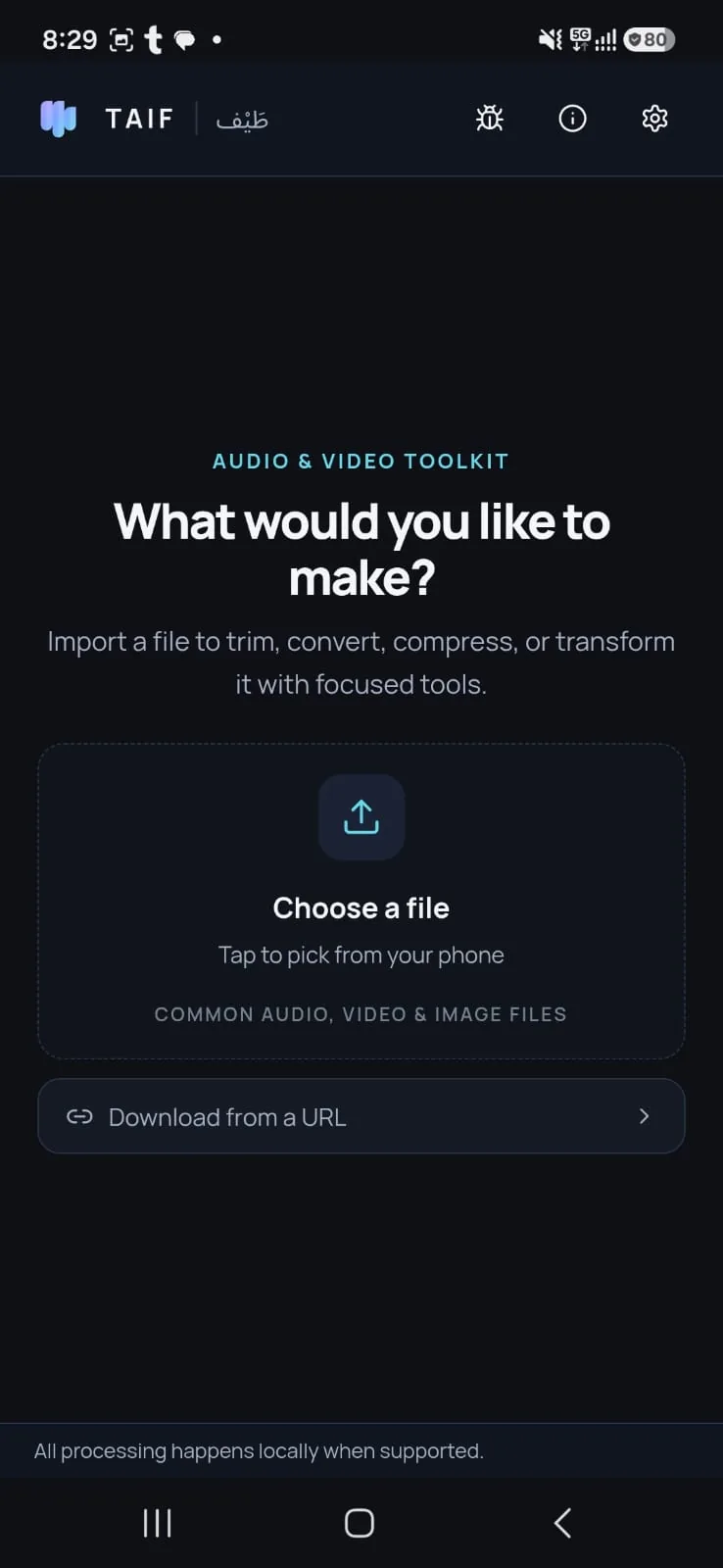
Showcase
Features
Six core operations, all processed on your device.
Remove Music
Separates the voice from the background music of an audio or video file, entirely on your device.
- This operation uses AI and runs entirely on your device. It can make mistakes when recognizing music.
- It can also remove noise and background sounds.
- There is no length limit: it works with audio and video of any length.
- Audio
- Video
Not offered on macOS.
Trim
Keep only the range between the start and end points.
- Audio
- Video
Cut
Remove the selected middle section and join the remainder.
- Audio
- Video
Compress
Reduce a video file's size with a quality slider — a smaller file at similar quality (the app suggests 32% as the sweet spot). Unlike Downgrade Quality, which lowers both quality and size, Compress aims to keep quality close to the original. Video only — audio and images are not compressed.
- Video
Convert
Convert between formats: images to PNG, JPEG or WebP; audio to MP3, AAC, OGG, WAV or MP4; video to MP3, AAC, OGG, WAV, MP4, WebM, MOV, AVI or MKV; audio can also become video when paired with a still image.
- Audio
- Video
- Image
Downgrade quality
Choose a lighter output: video from 1080p down to 144p, audio at 320, 128 or 64 kbps, or images at 90, 60 or 30% quality.
- Audio
- Video
- Image
How it works
Choose a file from your device or paste a supported URL.
Choose the operation you need.
Configure the settings.
Get a new output file — the original is left unchanged.
Downloads
The latest release is pulled live from the GitHub repository. Choose the build for your platform.
Checking the latest release…
About TAIF
TAIF is free and open source under the GPL-3.0 license. All processing runs locally on your device, with no account and no servers. The only exception is the URL downloader, which contacts the platform you explicitly request.
The developer
FAQ
Is TAIF private?
Yes — everything runs on your device. The only network contacts are the URL downloader calling the platform you explicitly requested.
How much does it cost?
TAIF is free and open source under the GPL-3.0 license.
Which platforms are supported?
Windows (MSI), Linux Debian/Ubuntu (verified on Ubuntu 22.04) and Android 10 or newer (APK).
Where are the output files saved?
New files are written next to your input file or to the location you pick.
Which file types can I import?
mp4, avi, mov, mkv, flv, webm, wmv (video); aac, mp3, ogg, wav, m4a (audio); png, webp, jpg, jpeg (images).
How accurate is Remove Music?
It is an on-device AI separation engine. It works on audio and video and is available on Windows, Linux and Android. Because it uses AI, it can make mistakes when recognizing music.
Which sites can I import from with a URL?
YouTube, X, Instagram, Facebook, LinkedIn and SoundCloud. The URL downloader contacts only the platform you explicitly request; all other processing stays on your device.